
 Contact Support



 Categories
 All Items
 Themes
 Plugins
 Exclusive Deal
 Support
 Membership
 CHANGELOG
Slider Revolution Particle Wave 6.7.7

Recently Updated
100% Original Product & Well Documented
♥ Loved by Many!
0 sales
Version 6.7.7

GPL License
Original price was: $64.00.$3.99Current price is: $3.99.
- Verified from VirusTotal
- 100% Original Product and Virus Free.
- Free New Version Lifetime On Single Purchase.
- Unlimited Website Usage
- Price is in US dollars and included tax
Sale will end soon

SSL Secured Checkout






Verified From


- Products Are Purchased and Downloaded From Original Authors.
- The File is 100% Completely Untouched and Unmodified.
- Last Update: 30.Mar.2026
- Version: 6.7.7

Premium Membership
Download this product for FREE and also gain access to 5,000+ premium themes and plugins.

Secure Transaction
Your transaction is secure with the Stripe. One of the famous payment gateway
Virus Free
Our all items on our website are Virus free and tested with "McAfee Secure"
Timely Update
After publishing the new update from author we upload the latest file on our website
Product Description and Reviews
Slider Revolution Particle Wave Latest Version
This is a GPL-distributed version. No official support. Clean, secure, and legally redistributed under the GPL license.
A particle effect is an automated animation technique that takes lots of small images (particles) and gives them movement and color in a way that can generate all kinds of beautiful visual effects.
For example, you could take images of a circle and a snowflake:
Then you could use them as particles, and create a beautiful snowfall visual effect:
Using particle effects you can create everything from star fields to wavy oceans to abstract backgrounds.
In this guide, we’ll learn how to get started with the Particle Effects addon
and integrate particle effects into your modules
Getting Started- Slider Revolution Particle Wave GPL
Before you start making particle effects you’ll first need to install and enable the Particle Effects addon.
The process for doing this is the same as with all addons, so please begin by following the steps laid out in our guide on how to Browse, Install and Enable Addons.
Activate Per Slide
After installing and enabling the Particle Effects addon, you’ll also need to activate it within the module you’re designing.
Because of the fact you might want particles on some slides
and not others, particle effects are activated on a per slide basis.
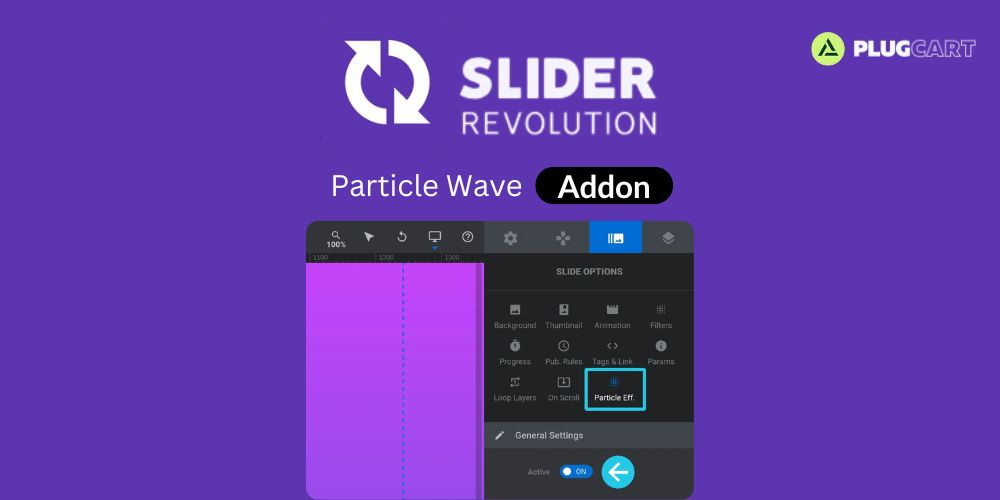
For each slide on which you want to use particle effects, go to the Slide Options tab, then the Particle Eff. sub-section, and in the General Settings panel set the Active option to ON:
with a single click.
Particle Settings Panel-Slider Revolution Particle Wave GPL
After activating particle effects for a slide, you’ll see a new panel appear named Particle Settings:
All the configuration options for the slide’s particle effects are available within this panel.
For a full guide on working with the options in this panel check out the next page of the manual: Customizing Particle Effects
Using the Slider Revolution Particle Wave GPL Library
The Particle Effects Library can be found at the top of the Particle Settings panel:
Click to expand the library and you will see it contains an area for ready-made particle effects, named Default Presets, and an area in which you can save your own Custom Presets:
Applying Presets:
To apply a particle effect preset all you need to do is expand either Default Presets or Custom Presets, then click the name of the preset you want to use:
Note: Particle effects can be white, black, or multi-colored. If you’re just exploring presets to see how they look you might not see them if they’re the same color as your background. To ensure you can see the effect it will help if you add a slide background image or color for it to contrast against.
You also won’t see the particle effect in action on the canvas. To see how it looks you should save and preview the module:
Up Next: Customizing Slider Revolution Particle Wave GPL
You’ve just seen how easy it is to apply pre-made particle effects with a single click. However, you can carry on from there and customize a particle effect’s color, shapes, movement, interaction, and a whole lot more.
Learn how to leverage all the available ways to make particle effects your own on the next page, Customizing Particle Effects.
Add a review
Currently, we are not accepting new reviews
Top Selling
Version 4.0.1

Original price was: $400.00.$3.99Current price is: $3.99.
2212 sales
Version 27.2

Original price was: $99.00.$3.99Current price is: $3.99.
818 sales
Version 3.21.0.1

Original price was: $249.00.$3.99Current price is: $3.99.
570 sales
Version 3.0.110

Original price was: $129.00.$3.99Current price is: $3.99.
532 sales
Version 8.4.1

Original price was: $59.00.$3.99Current price is: $3.99.
475 sales
Version 4.12.4

Original price was: $59.00.$3.99Current price is: $3.99.
370 sales
Version 12.7.5

Original price was: $59.00.$3.99Current price is: $3.99.
248 sales
Version 8.1.4

Original price was: $99.00.$3.99Current price is: $3.99.
245 sales
Related products
Version 1.3.8
Original price was: $49.00.$3.99Current price is: $3.99.
0 sales
Version 1.53.0
Original price was: $59.00.$3.99Current price is: $3.99.
4 sales
Version 2.3.1.1

Original price was: $39.00.$3.99Current price is: $3.99.
5 sales
Version 2.12.0
Original price was: $59.00.$3.99Current price is: $3.99.
2 sales
Version 2.2.3

Original price was: $49.00.$3.99Current price is: $3.99.
68 sales
Version 4.12.4
Original price was: $59.00.$3.99Current price is: $3.99.
370 sales
Version 3.6.9

Original price was: $59.00.$3.99Current price is: $3.99.
131 sales
Version 2.3.0

Original price was: $15.00.$3.99Current price is: $3.99.
12 sales
Version 28.3.3

Original price was: $59.00.$3.99Current price is: $3.99.
116 sales
Version 2.0.21.1

Original price was: $22.00.$3.99Current price is: $3.99.
6 sales
Version 4.28.0
Original price was: $66.00.$3.99Current price is: $3.99.
20 sales
Version 3.7.5

Original price was: $20.00.$3.99Current price is: $3.99.
49 sales
Version 2.3.2

Original price was: $22.00.$3.99Current price is: $3.99.
21 sales
Version 4.20.0
Original price was: $99.00.$3.99Current price is: $3.99.
13 sales
Version 2.9.0
Original price was: $59.00.$3.99Current price is: $3.99.
13 sales
Version 1.12.14

Original price was: $199.00.$3.99Current price is: $3.99.
27 sales
Version 2.5.14

Original price was: $59.00.$3.99Current price is: $3.99.
6 sales
Version 3.20.5

Original price was: $59.00.$3.99Current price is: $3.99.
207 sales
Version 2.12.18

Original price was: $57.00.$3.99Current price is: $3.99.
4 sales
Version 1.5.10

Original price was: $22.00.$3.99Current price is: $3.99.
6 sales
Version 27.2
Original price was: $99.00.$3.99Current price is: $3.99.
818 sales
Version 4.10.1

Original price was: $79.00.$3.99Current price is: $3.99.
19 sales
Version 4.0.1
Original price was: $400.00.$3.99Current price is: $3.99.
2212 sales
Version 3.0.0.1

Original price was: $18.00.$3.99Current price is: $3.99.
3 sales
Sorry, no reviews match your current selections
WINTER SALE OFFERS • GET 25% OFF ON 1 YEAR & LIFETIME MEMBERSHIP USE COUPON CODE: SPECIALDISCOUNT25 • BUY TWO GPL PRODUCTS AT JUST $6 USE COUPON CODE: BUY2 • GET 25% OFF ON 1 YEAR & LIFETIME MEMBERSHIP USE COUPON CODE: SPECIALDISCOUNT25 • BUY TWO GPL PRODUCTS AT JUST $6 USE COUPON CODE: BUY2 • GET 25% OFF ON 1 YEAR & LIFETIME MEMBERSHIP USE COUPON CODE: SPECIALDISCOUNT25 • BUY TWO GPL PRODUCTS AT JUST $6 USE COUPON CODE: BUY2 • GET 25% OFF ON 1 YEAR & LIFETIME MEMBERSHIP USE COUPON CODE: SPECIALDISCOUNT25 • BUY TWO GPL PRODUCTS AT JUST $6 USE COUPON CODE: BUY2 •

Reviews
There are no reviews yet